

Student Focus Dashboard
$2.99
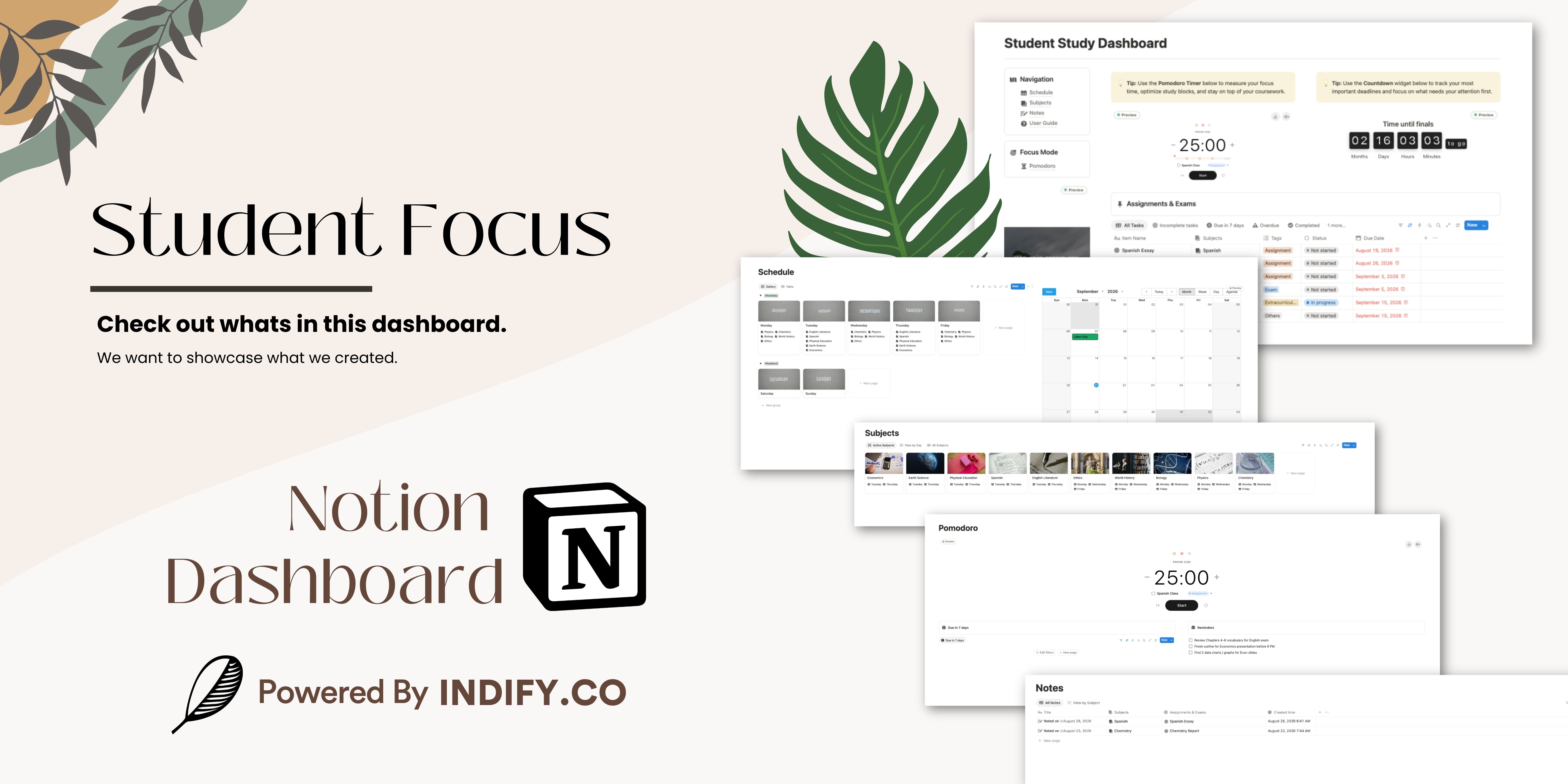
Bring your subjects, assignments, and study sessions into one focused workspace.
This template gives you:
A Productivity Timer in Pomodoro style to keep your study blocks on track.
A Countdown widget for your most pressing deadline.
A Quote widget for a daily push when motivation dips.
A Tasks database for assignments, projects, and extracurriculars; in Calendar, Incomplete, Due in 7 days, Overdue, and Completed views.
A Schedule database to map which courses you have each day, alongside a Google Calendar widget.
A Subjects database with trackers inside each page for notes taken and assignments due.
A Notes database for everything you capture in class.
A Focus Mode page that shows only your timer, tasks due in 7 days, and reminders — nothing to distract you.
How it works:
Activate your widgets. Click the Activate Widget button, sign in, and configure your Productivity Timer, Quotes, and Countdown widgets, then re-embed them.
Add your subjects. Under Navigation, open Subjects, add each one, and map your schedule for every subject.
Fill in your databases. Log assignments and projects in Tasks, and capture class notes in Notes.
You're all set!
Use this dashboard as a single source of truth for your studies: what's due, what's next, and where to focus right now.